.png "Product News, Tutorials, Tips and Industry Insights - ZWSOFT Blog - Stay up to date on the latest product news, tutorials, tips, and industry insights from ZWSOFT staff and influencers. Here we provide everything you need to help you get the most out of ZWSOFT products and succeed in your career.")
Buying professional CAD software like AutoCAD can cost you over $2,095 a year, a price tag that’s simply out of reach for many students, freelancers, or small businesses. In fact, there are plenty of affordable (and even free) CAD programs that can handle everything from simple 2D drafting to advanced 3D modeling.
In this guide, we’ve rounded up the 10 best cheap CAD software options in 2025, so you can find the right tool that fits your needs without draining your budget.
Contents
- Benefits of Using Inexpensive CAD Software
- The 10 Best Cheap CAD Software Recommended
- Comparison of the 10 Best Cheap CAD Software Options
- FAQs About Cheap CAD Software
- Conclusion
Benefits of Using Inexpensive CAD Software
Not everyone needs to spend thousands of dollars on premium CAD software to get professional results. Inexpensive CAD programs provide a practical alternative that can save money, reduce learning barriers, and still deliver the essential tools for most design tasks. They are especially useful for students, freelancers, and small businesses looking to work efficiently without breaking the bank. Benefits can be listed as follows.
Key benefits include:
- Cost Savings: Affordable or free CAD software gives you access to powerful design tools without high license fees.
- Lightweight and Focused: These programs avoid unnecessary features, keeping the software lightweight and fast while covering all the core tools needed for 2D drafting and basic 3D modeling.
- Low-Risk Experimentation: Even if some programs require a monthly subscription, their low cost allows you to try multiple options and switch freely until you find the one that fits your workflow.
The 10 Best Cheap CAD Software Recommended
In this part, we will explore the 10 best cheap CAD software including free 2D CAD software for drafting, cheap 3D CAD software for modeling, and more for you. Let’s scroll down and pick out the right one.
Top1. ZWCAD
ZWCAD is a powerful yet affordable CAD software for both 2D and 3D design, suitable for everyone from beginners to professional designers.
Pros:
- Affordable Price: Before buying a perpetual license, 30-day free trial is provided with full access to all features, so you can explore everything without limitation. After the trial, you can choose between different versions with price varying from $899 to $1699.
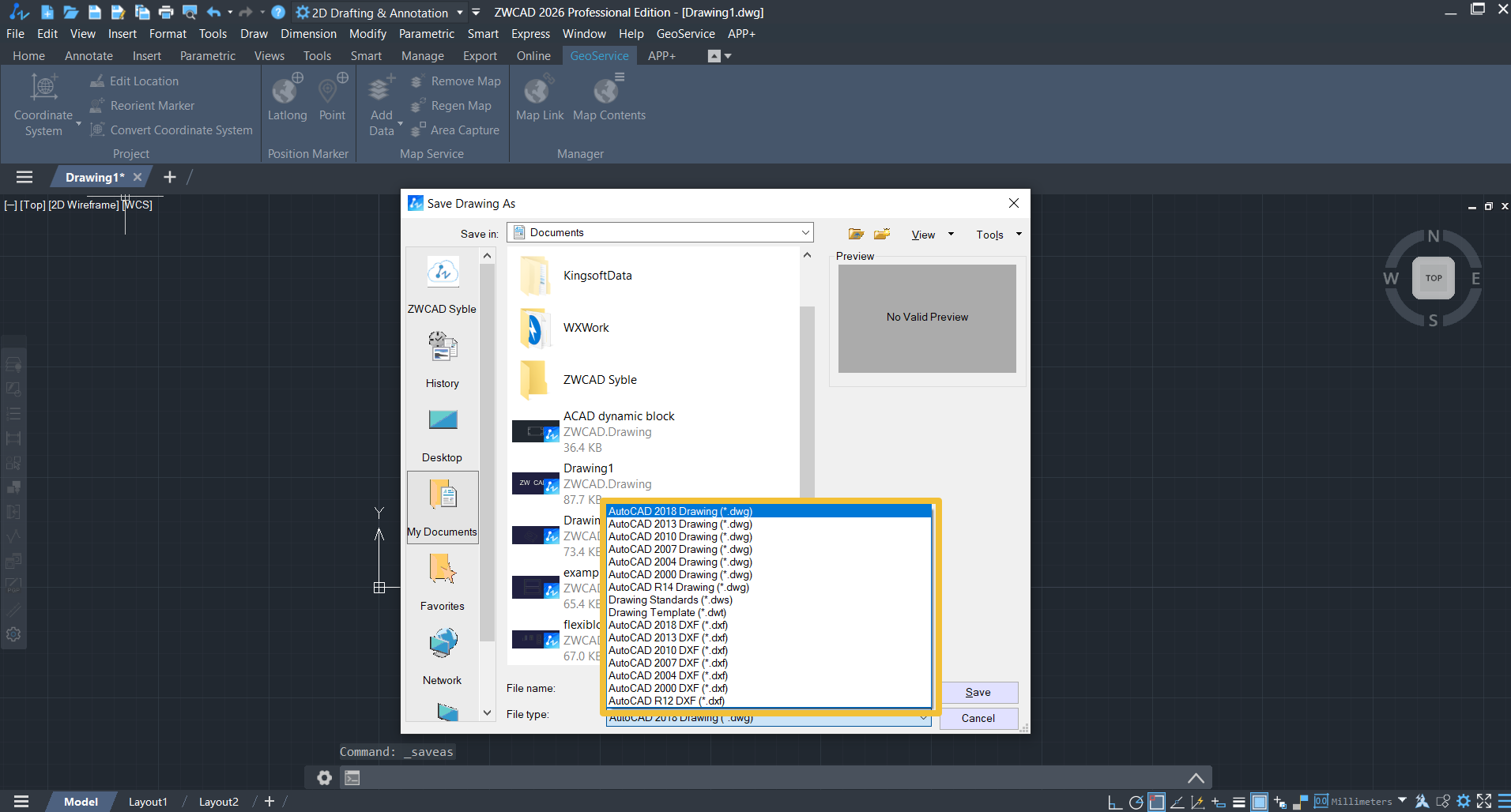
- High Compatibility: It has a strong file compatibility that ensures seamless work with files from other major CAD programs. For example, you can import,save and create all the AutoCAD native CAD file formats like .dwg,.dwt,.dws,.dxf etc.

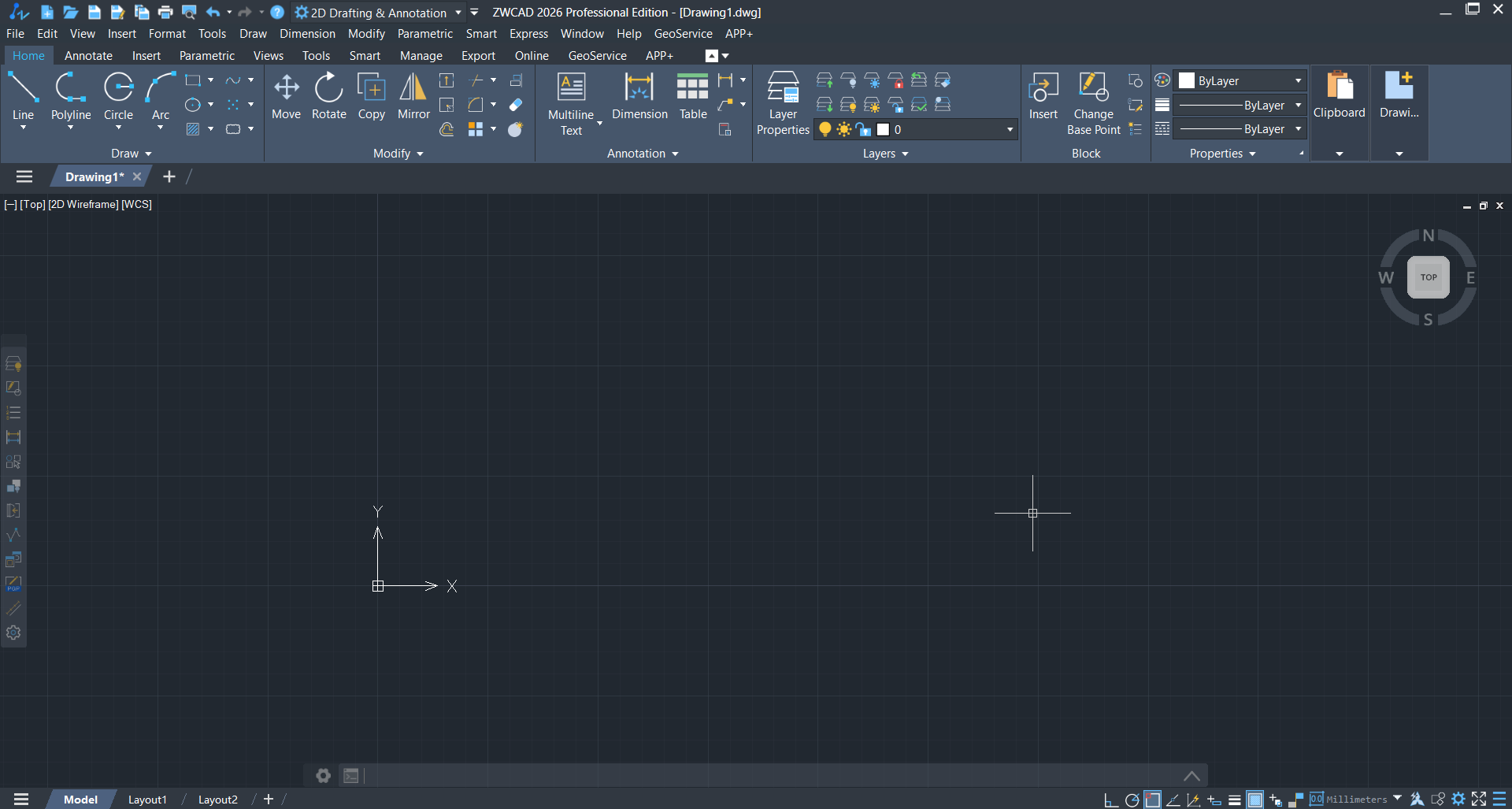
- Familiar Interface: Many users of ZWCAD also reviewed that the interface is friendly, intitutive and familiar. Especially for users who were the one used AutoCAD, the transition would be extremely smooth because there is nothing you need to learn.

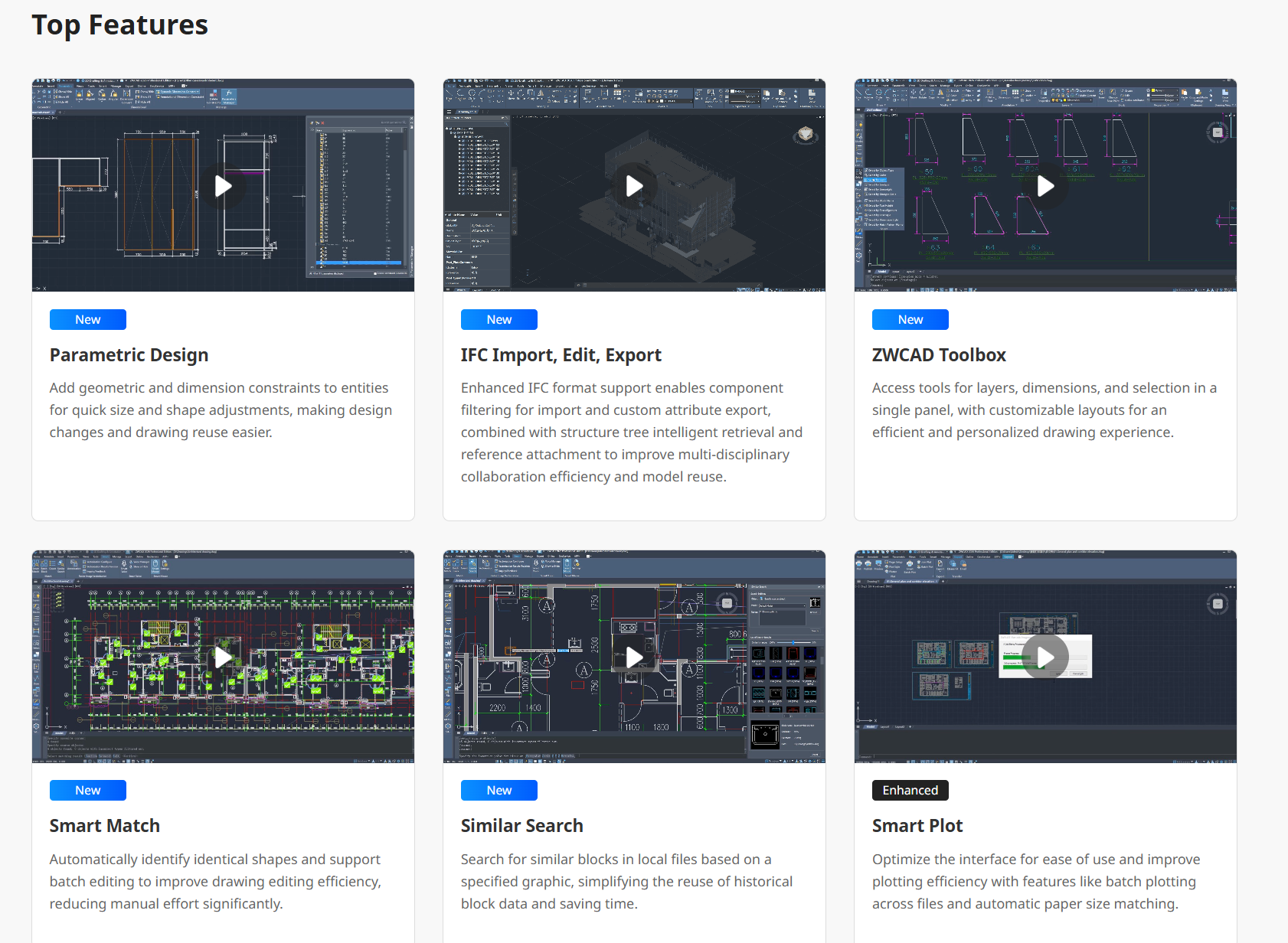
- Advanced Features: In the new version of ZWCAD 2026,several new features have been launched like smart match, smart search, parametric design and so on to reduce the repetitive movements, then streamline your workflow and enhance your work efficiency.

- Excellent Performance: One of the outstanding features of ZWCAD is its excellent performance in loading bigger files containing complex objects. Compared with Autocad, it is 1.98x as fast as AutoCAD® in 2D drafting and 3x as fast as AutoCAD® in advanced 3D navigation.
Cons:
- Support Windows system and Linux, but Linux is only available in Chinese.
- Expertise in 2D but 3D capabilities are relatively limited.
- While we offer fewer third-party plugins compared to AutoCAD, the ones we do support share significant overlap.
Note:
ZWSOFT has released ZWCAD Flex, a subscription-based CAD solution currently available exclusively in the United States and Canada.
Users outside these regions are encouraged to contact their local ZWSOFT sales team to explore perpetual license options for ZWCAD.
Top 2 Draftsight
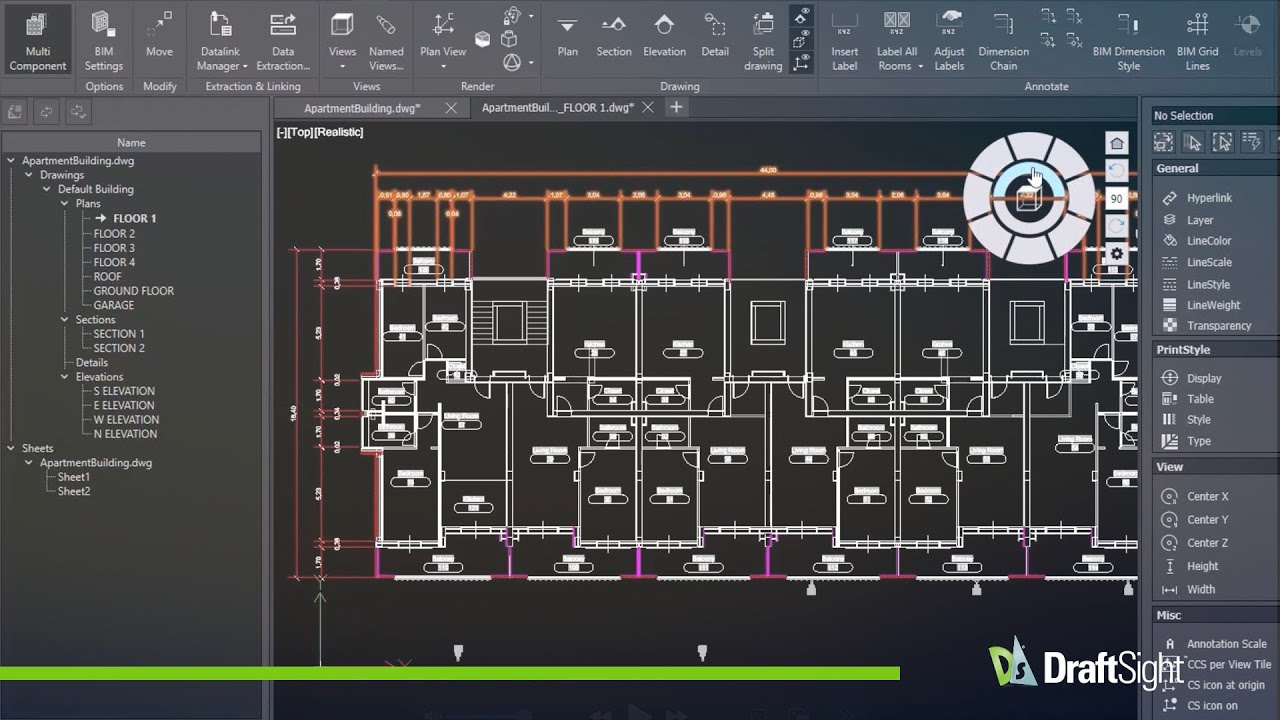
Draftsight is an affordable, versatile CAD software designed for professionals in architecture, engineering, and interior design.
(Source:https://www.draftsight.com/product/draftsight-premium-2d-and-3d-cad-software)
Pros:
- Great Value for Money: There are three choices: professional subscription, premium subscription, network license. The price of these licenses varies from $299 to $599 per year.
- File Compatibility: Draftsight supports standard DWG and DXF file formats, ensuring compatibility with other popular CAD software. This makes it easy for teams to collaborate across different platforms and exchange design files.
- Usability: With a clean, intuitive interface, Draftsight is easy to navigate, making it suitable for both beginners and experienced users. The user-friendly setup and customizable workspace make it easy to streamline design processes and boost productivity.
Cons:
- The possibility of crashes increases when you need to load lagre files containing complex objects and shapes.
- Customized user interface needs to be manually recovered after update.
- Some features in Draftsight performing the similar function donnot have the same name as AutoCAD.
Top 3 ProgeCAD
ProgeCAD is a powerful, AutoCAD-compatible CAD software designed for both 2D and 3D applications. It offers a wide range of features typically found in AutoCAD, making it an affordable alternative for professionals across various industries.

(Source:https://www.softpedia.com/get/Science-CAD/progeCAD-2007-Professional.shtml)
Pros:
- Cost-effective price: This is a significant advantage for those who prefer a long-term solution with no recurring subscription fees. The price of license varies from $540 to $665. Optional annual maintenance is available for $260/year, providing users with software updates and technical support. While not mandatory, this plan ensures that users have access to the latest features and assistance whenever needed.
- File Compatibility: ProgeCAD is fully compatible with DWG files, ensuring seamless collaboration with other AutoCAD users and easy integration into existing workflows.
- Usability: The software features a simple, intuitive interface that is easy to navigate. ProgeCAD also offers a comprehensive set of documentation, tutorials, and customer support, making it easy for newcomers to get up to speed quickly.
Cons:
- The switching is not smooth between multiple CAD softwares.
- The chances of getting stuck are greater when the X–ref files are bigger and more complicated.
- It may consume a lot of computer resources, leading to a low performance.
Top 4 NanoCAD
NanoCAD is a budget-friendly, user-friendly CAD software designed to provide powerful 2D drafting and 3D modeling capabilities.

(Source:https://www.softpedia.com/get/Science-CAD/nanoCAD-Plus.shtml)
Pros:
- Budget-friendly: The base version, which focuses on 2D drafting, is priced at $289 per year. The price of other licenses like nanoCAD pro, nanoCAD mechanica, nanoCAD construction and nanoCAD Max varies from $459 to $849.
- File Compatibility: nanoCAD is compatible with DWG files, ensuring easy collaboration and file exchange with other CAD users.
- Capabilities: nanoCAD offers powerful 2D drafting and 3D modeling features, making it suitable for a range of design tasks, from basic drawings to more complex models.
Cons:
- The features provided in NanoCAD are not full as AutoCAD.
- Lack of advanced 3D features.
- Needs proper training before getting started.
Top 5 FreeCAD
FreeCAD is a free, open-source parametric CAD software that functions as both a 2D CAD tool and a 3D CAD modeler.

(Source: https://en.wikipedia.org/wiki/FreeCAD)
Pros:
- Totally Free: Being free will save a lot of money and offer beginners the chance to experiment without risk.
- 2D and 3D Capabilities: FreeCAD provides a robust set of tools for creating and editing 2D drawings, which can be used as a foundation for building 3D models. This parametric approach allows for efficient design changes and modifications.
- Extensibility: As an open-source platform, FreeCAD is highly customizable and extensible, making it suitable for a wide variety of design needs beyond its core focus on mechanical engineering.
Cons:
- While FreeCAD is powerful, it may not be fully compatible with some high-end CAD software, which could be a limitation for users needing seamless interoperability with other professional-grade tools.
- Some users reviewed that it may be laggy to work simultaneously with multiple subjects.
- Even though it is open–source, there is no proper documentation for learning tutorials.
Top 6 Tinkercad
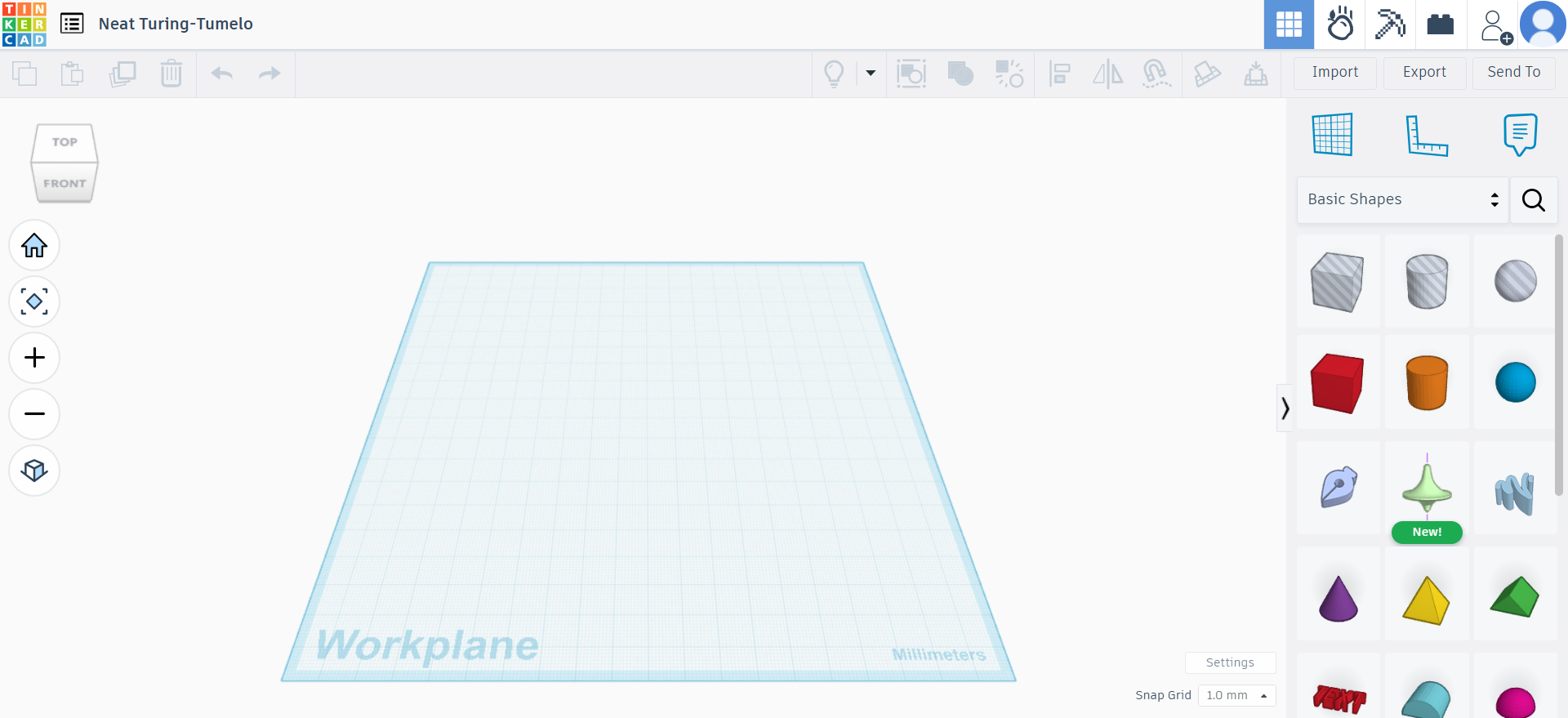
Tinkercad is a beginner-friendly, web-based 3D design and modeling tool developed by Autodesk.It is widely used in educational settings and by hobbyists for creating simple 3D models, circuits, and even coding projects.
Pros:
- Cost-Free: Completely free to use, making it an attractive option for students, educators, and hobbyists on a budget.
- User-Friendly: Tinkercad’s simple drag-and-drop interface makes it easy for beginners to pick up quickly, with no need for advanced CAD skills.
- Web-Based: As a cloud-based platform, it can be accessed from any device with an internet connection, eliminating the need for software installation.
Cons:
- While great for simple designs, Tinkercad lacks the more advanced features found in professional CAD programs, such as parametric modeling.
- Tinkercad does not have parametric modeling features, which makes it harder to create models that require precise measurements and design updates.
- It may not be powerful enough for users who need to create complex, high-precision models, such as those required in engineering or architectural design.
Top 7 QCAD
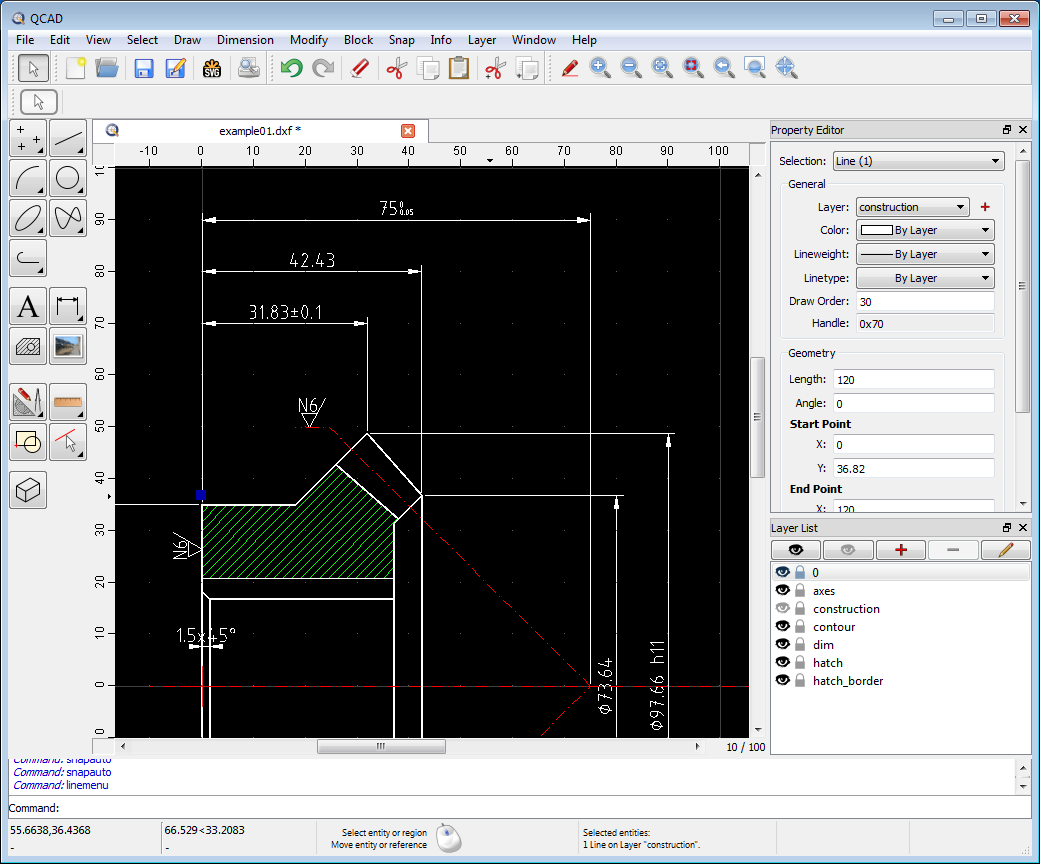
QCAD is an open-source, free 2D CAD software designed for creating technical drawings such as building plans, interior layouts, mechanical parts, and schematics.
Pros:
- Free & Paid: The free trial runs 15min at a time and can then be restarted. The community edition is completely free to download and use, making it a great option for individual users and small businesses with no licensing fees. The price of different paid versions varies from $48 to $1475.
- 2D Drafting: QCAD specializes in 2D drafting, offering tools for designing detailed technical drawings.
- File Compatibility: It supports multiple file formats, ensuring compatibility and easy integration with other CAD software.
Cons:
- Functions in 3D design is limited like no 3D rendering.
- Require a steep learning curve if you are new to CAD.
- System may become unstable when you create or import large files.
Top 8 SmartDraw
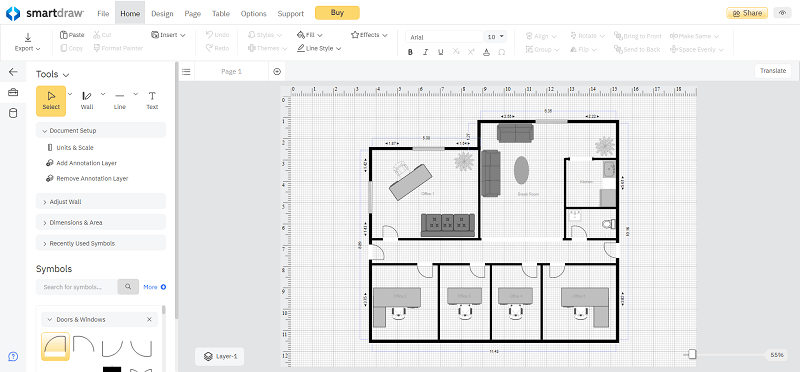
SmartDraw is an affordable, web-based CAD software designed for creating 2D drawings.
Pros:
- Low cost: Individual version is priced at $95.4 per year and team version is priced at $83.4 per year for the team version. The maximum number of users in team version is three.
- Collaboration: It offers a collaborative platform that allows users to work on designs in real-time with their teams, making it easy to improve and refine plans together. Microsoft 365 & Google Workplace integration will make your work more easily accessible.
- User-Friendly Interface: The interface is clean and easy to navigate, allowing even users without prior CAD experience to start creating drawings
Cons:
- The file may not be compatible when you import a file from other CAD softwares.
- System movement is slow when you open a complex file.
- The performance in mobile device may be not good.
Top 9 SketchUpPro
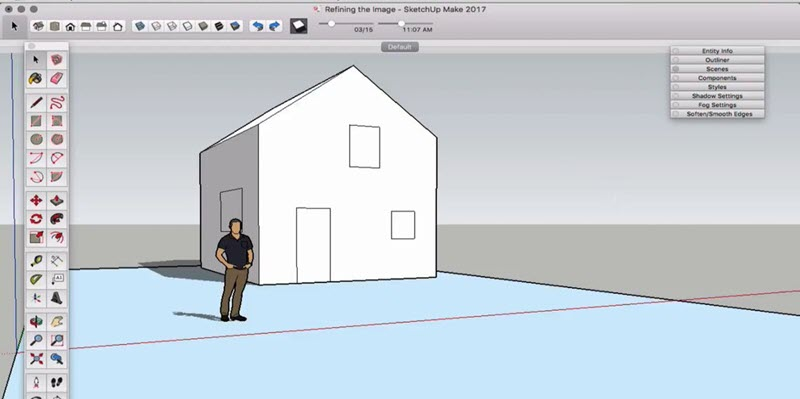
SketchUp is a widely-used 3D modeling software that is particularly popular for architectural drawings, interior designs, landscape designs, and more.
Pros:
- Wallet-friendly price: The price of SketchUp Go is $19.90 monthly, $129 yearly; SketchUp Pro $99.99 monthly, $399 yearly.
- Excellence in 3D: SketchUp is an expertise at 3D visualization tools and 3D rendering in it is developed very well.
- Rich Sources: It provides a vast library of pre–made components, which will enable users to use the templates directly in their drawings.
Cons:
- Hard to get 3rd party plugins.
- The user interface in Windows and MacOS is different.
- The performance is not good when you need to create or save complex models.
Top 10 Autodesk Fusion
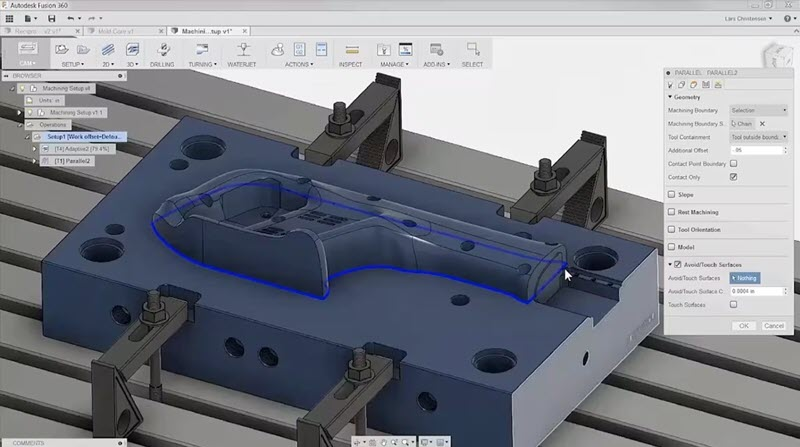
Autodesk Fusion is a powerful yet affordable CAD software used across industries like architecture, engineering, manufacturing, and product design.
Pros:
- All-in-one-platform: The software seamlessly integrates computer-aided manufacturing (CAM) and computer-aided engineering (CAE), streamlining the transition from design to production and simulation.
- Cloud-Based Collaboration: As a cloud-based platform, Autodesk Fusion enables real-time collaboration between team members, making it easier to work on projects from different locations.
- Cross-Platform Compatibility: Fusion 360 supports Windows, macOS, and web browsers, allowing for flexibility in the devices users can work with.
Cons:
- It may be laggy as you operate lager asemblies.
- Highly depend on a good internet connection.
- Require a steep learning curve if you are new to CAD software.
Comparison of the 10 Best Cheap CAD Software Options
Now that you have a basic understanding of each affordable CAD software from the breakdown above, the table below offers a clear, visual comparison of their key differences to help you quickly find the best fit.
| Software Name | Primary Focus | Pricing | License Model | Core Features & Highlights | Best For |
| ZWCAD | 2D Drafting, 3D Modeling | $899 – $1699 (One-Time) | Perpetual License | • Full DWG Compatibility • Faster performance than AutoCAD • Easy to learn & customize |
Beginners, Professional Designers, Small Businesses/Freelancers |
| Draftsight | 2D Drafting, 3D Modeling | $299 – $599 / Year | Subscription | • Supports DWG/DXF • Clean, intuitive interface |
Architects, Engineers, Interior Designers, Small Businesses, Beginners |
| ProgeCAD | 2D Drafting, 3D Modeling | $540 – $665 (One-Time) | Perpetual License (Maintenance: $260/yr) | • Full DWG Compatibility • Interface very similar to AutoCAD |
Engineers, Architects, Product Designers, Small Businesses/Freelancers |
| NanoCAD | 2D Drafting, 3D Modeling | $518-$608/year $1554-$1824/3years |
Subscription | • DWG Compatible • Offers both 2D & 3D tools |
Cost-Conscious Designers, Users needing 2D drafting & 3D modeling |
| FreeCAD | 2D Drafting, 3D Parametric Modeling | Free | Open Source | • Parametric Design • Highly Extensible |
Mechanical Engineers, Architects, Electrical Engineers, Beginners |
| Tinkercad | 3D Modeling | Free | Open Source | • 3D Design • Easy to learn and use |
Beginners, Hobbyists |
| QCAD | 2D Drafting | $48-$1708 (Perpetual License) | Open Source / Commercial License | • Specializes in 2D Drafting • Supports multiple file formats |
Individual Users, Small Businesses |
| SmartDraw | 2D Drawing (Web-Based) | $83.4 / Year (Personal) $95.4 / Year (Team, max 3) |
Subscription | • Many templates & resources • Real-time collaboration • User-friendly interface |
Individuals, Small/Medium Enterprises seeking a web-based 2D solution |
| SketchUp Pro | 3D Modeling | $19.90-$99.99 / Month $129-$819/Year |
Subscription | • Intuitive Push/Pull modeling • Style Builder for custom styles |
Interior Designers, Hobbyists |
| Autodesk Fusion | 3D Modeling, CAM, CAE | $109-$268/month $856-$2110/year |
Subscription | • Integrated CAM & CAE • Cloud-based real-time collaboration • Cross-Platform (Win, macOS, Web) |
Small Businesses, Startups, Hobbyists, Makers |
FAQs About Cheap CAD Software
1. Is free CAD software good enough for professional use?
This is a critical question for many users considering an upgrade. The answer is: it depends on the complexity of your work.
● Yes, for specific tasks: Some free CAD software, like FreeCAD and SolveSpace are absolutely viable for prototyping, hobbyist projects, and even some professional consulting work where client file compatibility isn’t a major issue.
● No, for collaborative and industry-standard workflows: The primary limitations often lie in file compatibility, support, and advanced features. In professional settings where you must seamlessly exchange DWG/DXF files with clients or colleagues using AutoCAD, paid options like ZWCAD offer guaranteed compatibility, fewer errors, dedicated technical support, advanced 3D modeling tools, and integration with CAM/CAE systems.
● In summary: If your work is independent, not bound by strict industry file-sharing standards, and you have the time to troubleshoot, free software can be sufficient. For team-based, client-facing, or production-critical work, a paid, professional-grade cheap CAD software is a wiser investment.
2. What is the best cheap CAD software for experienced AutoCAD users?
For users familiar with AutoCAD, the best alternatives minimize the learning curve while maximizing cost savings. The top recommendations focus on software with a similar interface and command structure.
Top Recommendation: ZWCAD.
● It stands out because it offers full DWG compatibility and a familiar ribbon-style interface. Its command set and workflow are highly similar to AutoCAD’s, allowing experienced users to become productive almost immediately.
● The availability of a perpetual license is a significant advantage for those who prefer a one-time purchase, mirroring the traditional AutoCAD model.
● Its faster performance will make your workflow more effective and efficient when you need to process a large file.
3. Should I choose a subscription or a perpetual license for CAD software?
This is a fundamental financial and operational decision. Each model has its merits:
● Choose a Perpetual License (e.g., ZWCAD) if:
You want to control long-term costs: A one-time fee grants lifetime use, making it cheaper over several years.
You prefer stability: You can stick with a version that works for your workflow without being forced to update.
Your budget is upfront, not recurring: This is common for freelancers and small businesses with fixed project budgets.
● Choose a Subscription (e.g., Draftsight, Autodesk Fusion) if:
You prefer lower upfront costs: Subscriptions spread the cost over time.
You value always having the latest version: Updates and new features are automatically included.
Your needs may change: It’s easier to switch plans or cancel if your projects evolve.
The best choice depends on your budget and how critical it is for you to always have the very latest tools. For long-term cost control, a perpetual license is often the most economical “cheap CAD” solution.
Conclusion
Navigating the world of affordable CAD software isn’t about finding the absolute cheapest option; it’s about finding the right tool that unlocks your potential without compromising your budget or ambitions.
As you’ve seen, the landscape is rich with purpose-built solutions:
● For the professional seeking a powerful, perpetual-license alternative to AutoCAD, the performance and compatibility of ZWCAD are compelling.
● For the hobbyist or beginner diving into 3D concepts, the zero-cost, parametric environment of FreeCAD offers a risk-free start.
The power to build, design, and innovate is now decisively in your hands. The only wrong choice is indecision. Your project is waiting. Stop comparing, and start creating. Download your top-choice trial today and experience the difference for yourself.
Ready to move from browsing to building? Click here to explore ZWCAD‘s free 30-day trial and see why it’s our top pick for 2025.