.png "Product News, Tutorials, Tips and Industry Insights - ZWSOFT Blog - Stay up to date on the latest product news, tutorials, tips, and industry insights from ZWSOFT staff and influencers. Here we provide everything you need to help you get the most out of ZWSOFT products and succeed in your career.")
Whether you’re a beginner just starting out in CAD design or a professional looking for a reliable tool, choosing the right 2D CAD software is essential. With so many options available, it can be overwhelming to find the best fit for your needs. This guide will break down the key differences between 2D and 3D CAD software, what to consider when selecting a tool, and provide an overview of the top 7 2D CAD software options for both beginners and pros.
Whether you’re working on architectural plans, engineering drawings, or other design projects, we’ve got you covered with software recommendations that offer the perfect balance of functionality, performance, and affordability.
Contents
- 1. What is 2D CAD Software?
- 2. What Is the Difference between 2D and 3D Software?
- 3. How to Choose the Right 2D CAD Software for Yourself?
- 4. Best 7 2D CAD Softwares Chose for You
- 5. FAQs
- 6. Conclusion
What Is 2D CAD Software?
2D CAD (Computer-Aided Design) refers to software tools used for creating two-dimensional drawings or plans, which are commonly used in architectural, engineering, and design fields. It is primarily focused on creating precise floor plans, technical drawings, blueprints, and schematics.
What Is the Difference between 2D and 3D Software?
1. Dimensions and Visual Representation:
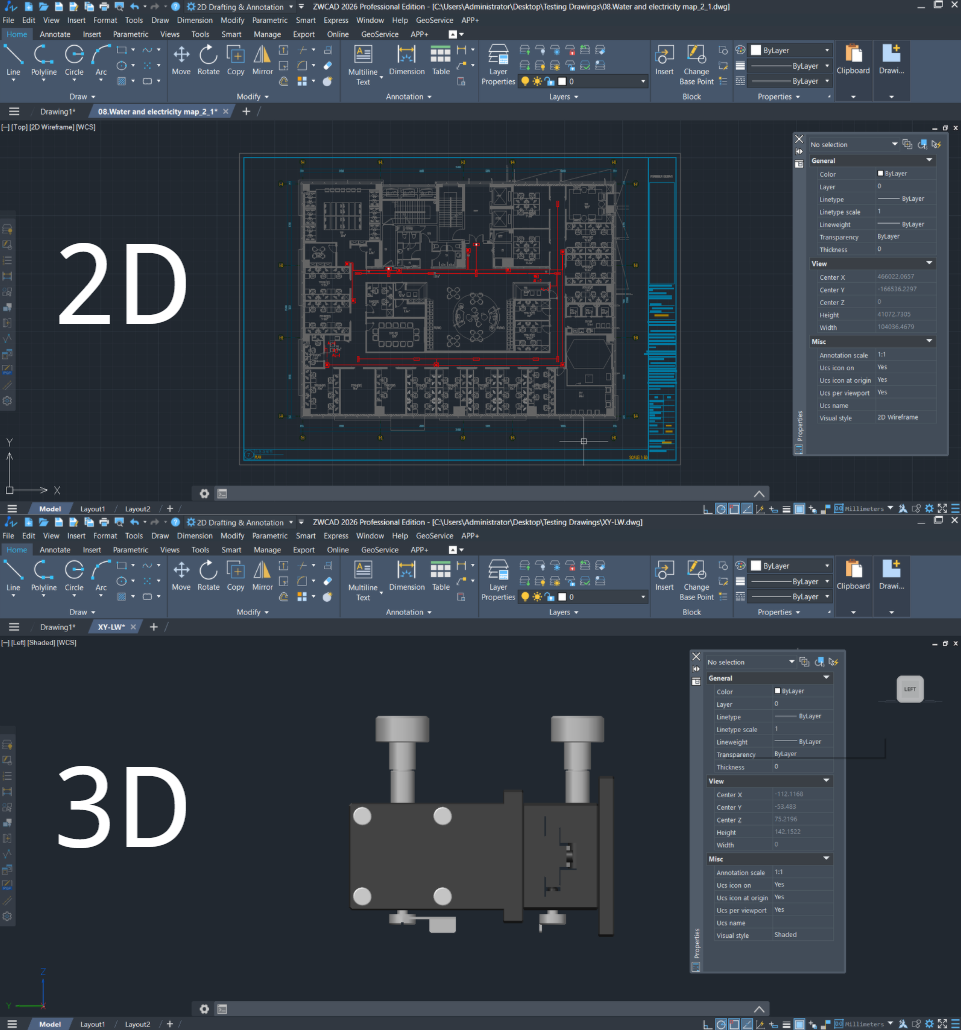
2D Drawings represent a flat, two-dimensional view only containing width and length while 3D drawings incorporate length, width, and depth, creating a realistic, three-dimensional representation.
2. Cost and Resource Intensity:
2D Drawings are cheap and generally consume less computing resources while 3D drawings are more expensive and have a higher demand in hardware capabilities.
3. Accuracy and Detail:
2D Drawings are known for their precise measurements, excellence in drafting technical details, dimensions, and structural elements. 3D Drawings provide a more detailed visual representation of a design that is more closely related to daily life scenes.
How to Choose the Right 2D CAD Software for Yourself?
Your Industry Needs
Industry requirements vary significantly: professionals like architects, engineers, and product designers rely on top-tier accuracy and strict compliance with industry norms, whereas hobbyists operate with less rigid standards.
User Experience
Some tools are easier to learn and use, while others offer more powerful features but with a steeper learning curve.
Your Budget
Some software options come with a high price tag but offer extensive features. Others may be more affordable or even free, but may lack advanced tools.
Best 7 2D CAD Software Chose for You
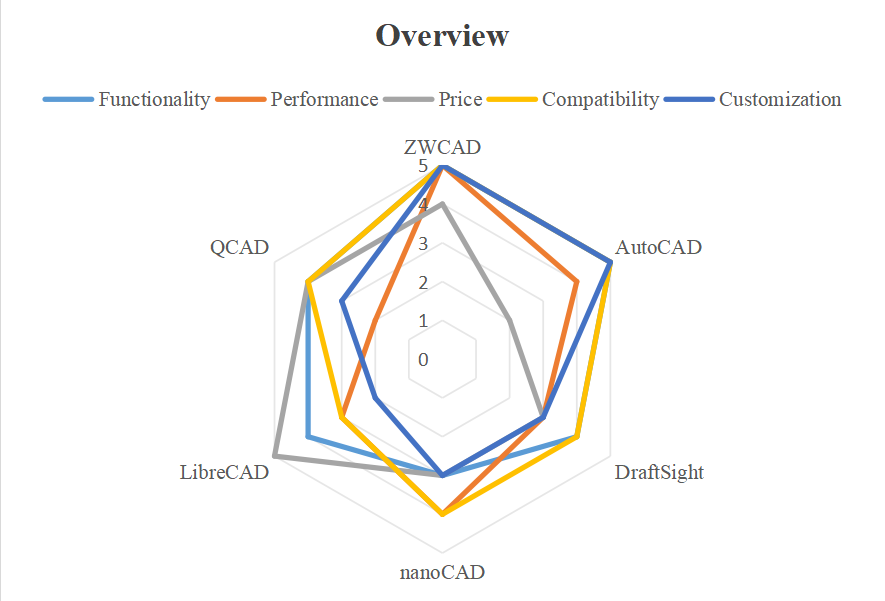
Based on the key factors you may weigh when selecting 2D CAD software, we’ve compiled a detailed, comprehensive comparison below. Each CAD solution is assigned a score across critical dimensions: functionality, performance, pricing, compatibility, and customization—helping you quantify strengths and weakness at a glance.
Top 1. ZWCAD
Core Features
- Functionality: ⭐⭐⭐⭐⭐
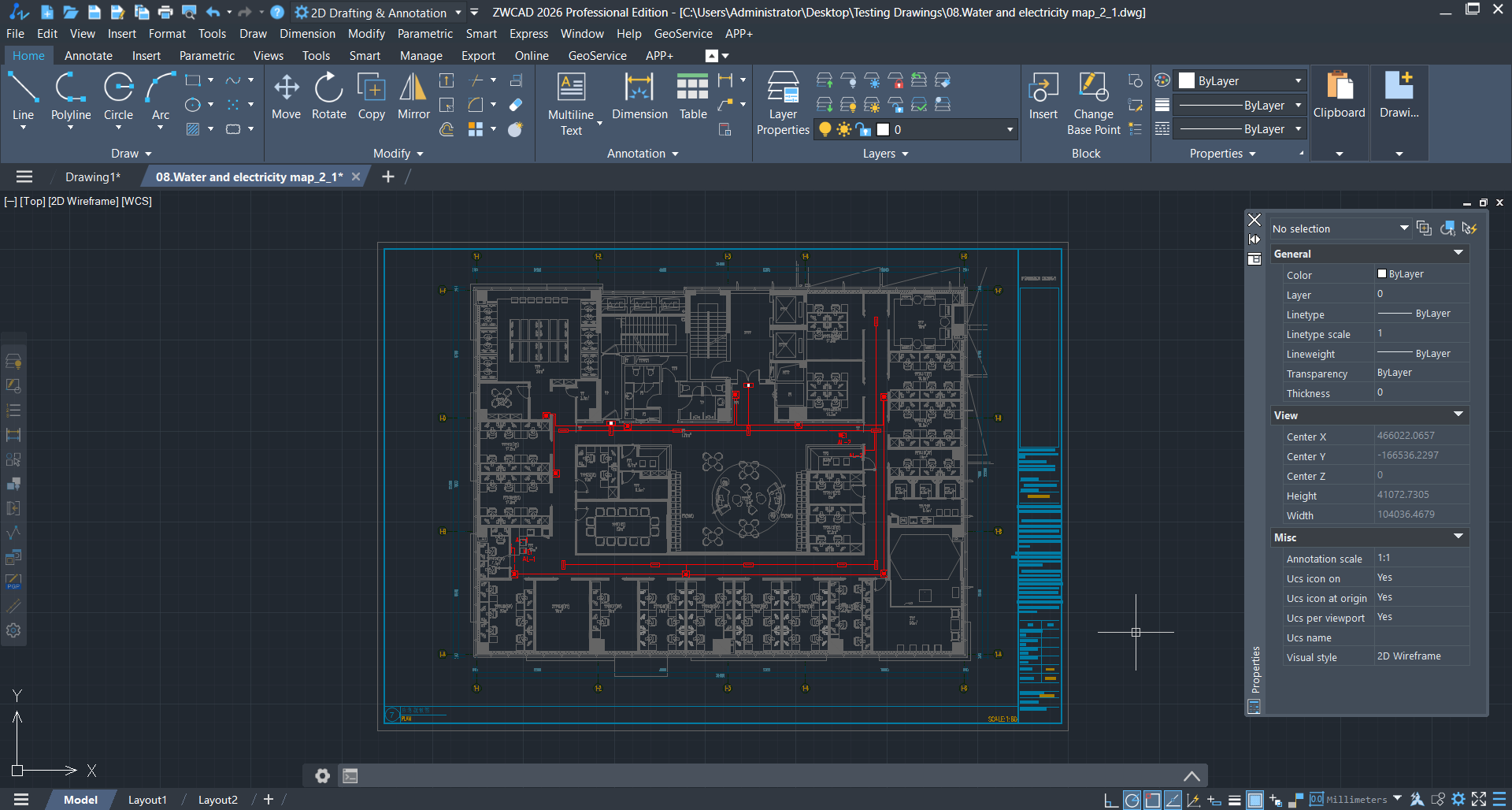
- Except for the basic 2D drafting and design functions like annotations, dimensioning and exporting, ZWCAD boasts with advanced and innovative features—such as Smart Match, Similar part search, and Parametric design—enable precise layout optimization while significantly boosting workflow efficiency.
- A diverse range of third-party add-ons allows for flexible design modification, validation, and compliance checks.
- An intuitive, user-friendly interface ensures a gentle learning curve for new users, facilitating quick mastery and seamless operation.
- Compatibility: ⭐⭐⭐⭐⭐
- Importing or exporting all the file formats released by Autocad is supported,such as DWG,DWT,DWG,DXF,JPG,PDF,PNG,IFC and STEP.
- Customization: ⭐⭐⭐⭐⭐
- Customizability in API and UI: Supports LISP, VBA, .NET, and ZRX for automation and workflow customization. Customizable and familiar interface to Autocad will strengthen your efficiency.
Performance
- Score: ⭐⭐⭐⭐⭐
- ZWCAD delivers outstanding performance in 2D drafting, helping professionals work faster and more effectively. In complex 2D Drafting, ZWCAD is 1.98x as fast as AutoCAD.
Price
- Score: ⭐⭐⭐⭐
- One-time purchase: ZWCAD Standard: $899; ZWCAD Professional: $1399; ZWCAD MFG:$1699.
- Affordable Perpetual Licensing: A one-time payment option, making it cost-effective in the long term.
Note:
ZWSOFT has released ZWCAD Flex, a subscription-based CAD solution currently available exclusively in the United States and Canada.
Users outside these regions are encouraged to contact their local ZWSOFT sales team to explore perpetual license options for ZWCAD.
Top 2. AutoCAD
(Source:https://www.autodesk.com/products/autocad-lt/overview)
Core Features
- Functionality: ⭐⭐⭐⭐⭐
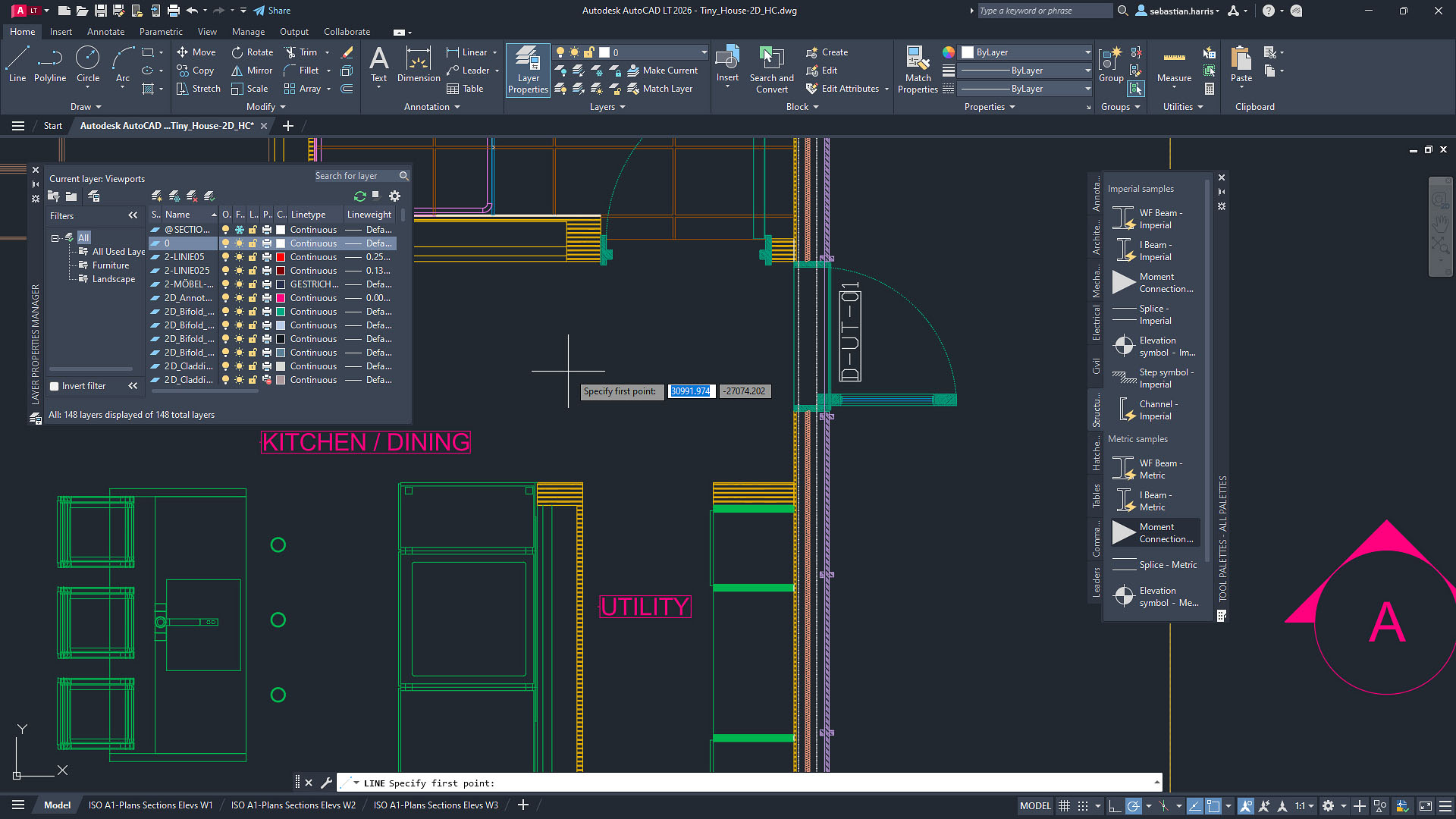
- As the gold standard of 2D CAD, AutoCAD is an expert in 2D drafting and documentation with rich tools and full functions.
- Support several 3rd party add-ons and include industry-specific verticals to help you check whether your design is suitable for the industry standard.
- With an intuitive and straightforward interface, new users won’t struggle to learn. And there are lots of learning resources and tutorials: beginners can progress rapidly, while experienced professionals can make their workflows more efficient.
- Compatibility: ⭐⭐⭐⭐⭐
- DWG File Compatibility: Industry-standard support for DWG files.
- Customization: ⭐⭐⭐⭐⭐
- Customizability: Full support for LISP routines to automate and customize workflows.
Performance
- Score: ⭐⭐⭐⭐
- Slow loading times and reduced responsiveness are frequent when working with detailed files, making older or less powerful computers struggle significantly.
- Its resource-intensive nature can lead to performance issues even on machines with ample storage, increasing downtime and reducing efficiency.
Price
- Score: ⭐⭐
- Annual Subscription: $2,095/year for one user; monthly subscription:$206/month
- High cost, especially with ongoing subscription fees.
- Because smooth operation may require investing in stronger workstations, the overall cost of using AutoCAD can be higher than expected.
Top 3.BricsCAD
(Source:https://www.bricsys.com/es-es/bricscad/pro)
Core Features
- Functionality: ⭐⭐⭐
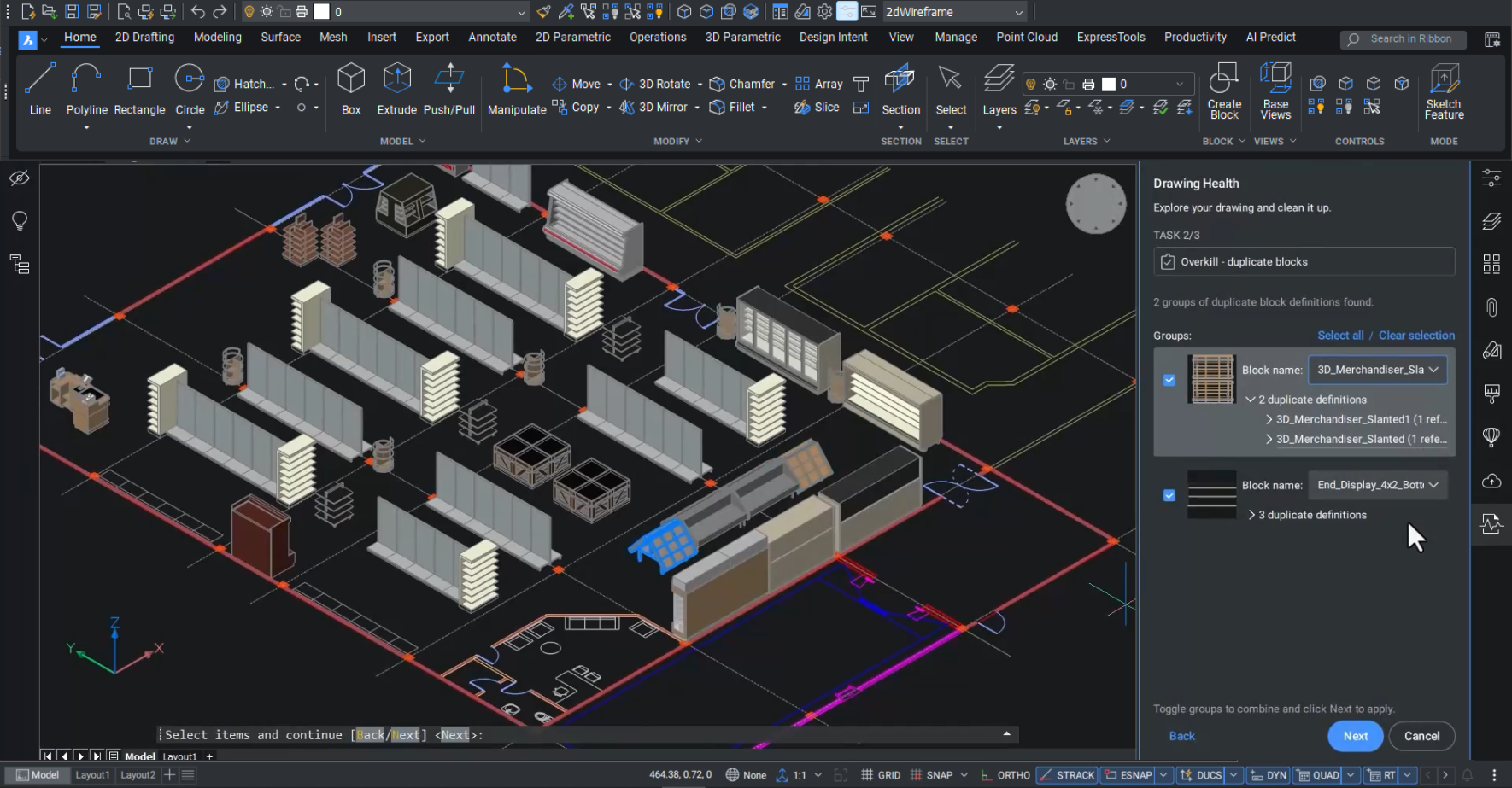
- BricsCAD‘s versatile solution that supports 2D drafting, mechanical design, and BIM within a single platform.
- Offers solid performance for architectural work and engineering design projects.
- Some AutoCAD-specific commands and tools are missing or not as refined.
- Direct printing isn’t supported — users need to print through PDF first, which may cause print settings to be lost when opening the file in other software.
- Compatibility: ⭐⭐⭐⭐
- Works smoothly with DWG files, delivers clear PDF outputs, and is compatible with familiar AutoCAD commands and toolbars.
- Customization: ⭐⭐⭐
- The programming interface is appreciated by users who enjoy building their own algorithms for different tasks.
- Habit of right clicking of mouse formed in AutoCAD becomes a trouble in Bri
- Managing eTransmit with multiple DWG files can be difficult, and a smoother process is often expected.
Performance
- Score: ⭐⭐⭐⭐
- It is valued for offering strong performance at a cost that keeps business operations sustainable and justifies the investment.
- A key advantage is its ability to run efficiently on lower-end hardware, using fewer system resources while still delivering smooth, reliable performance.
Price
- Score: ⭐⭐⭐⭐
- Subscription: One-year Subscription: $314~$711; three years Subscription: $850~$1910
- Perpetual License: $708~$1596
Top 4. DraftSight
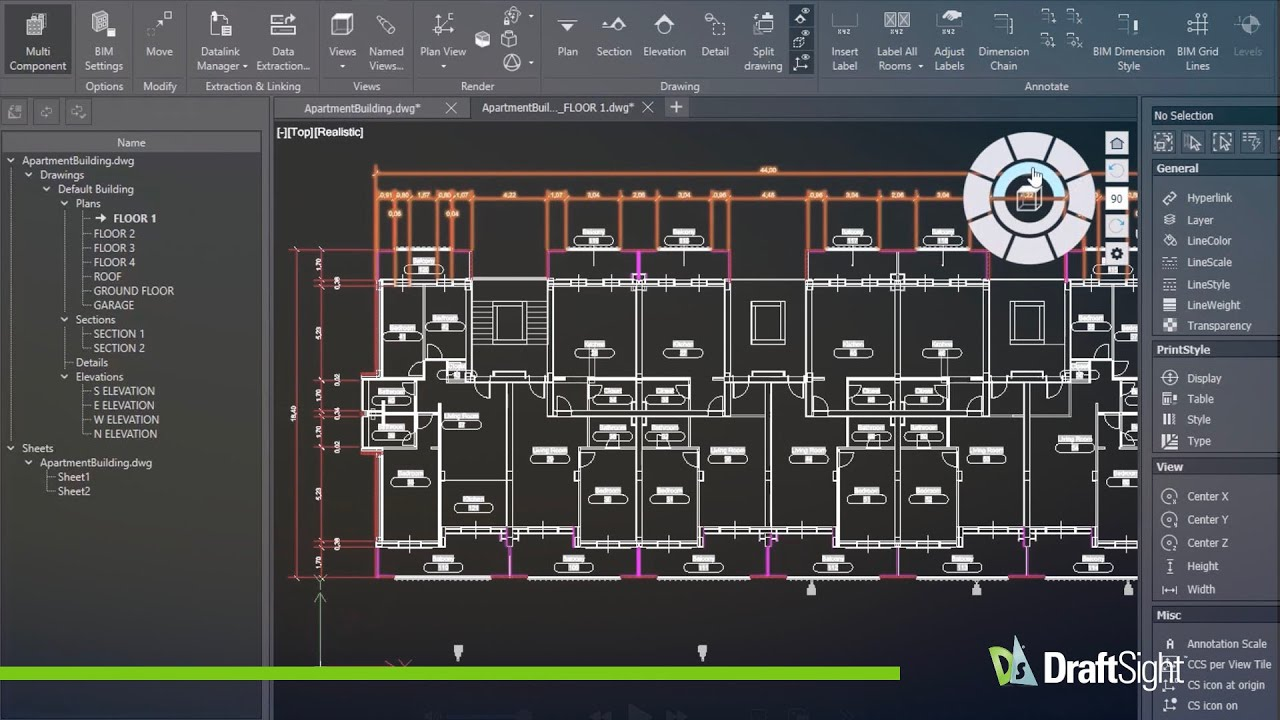
(Source:https://www.draftsight.com/product/draftsight-premium-2d-and-3d-cad-software)
Core Features
- Functionality: ⭐⭐⭐⭐
- Draftsight‘s advanced drafting features include dimensioning, layers, and annotations for professional drafting.
- Responsive customer service will promoptly sovle your issues.
- Clean and intuitive interface is an easy adoption by new users.
- Compatibility: ⭐⭐⭐
- Works with DWG files, ensuring easy collaboration with AutoCAD users. The software offers broader export options, although some users note that certain import formats, such as PLT, are still limited.
- Customization: ⭐⭐⭐
- Offering strong customization capabilities, including options for adapting tools, workflows and tailoring functions.
- However, interface customization is more limited; toolbars cannot be freely rearranged, preventing a fully personalized workspace layout.
Performance
- Score: ⭐⭐⭐
- Its ease of use, broad format support, and straightforward implementation make it accessible, even on older computer systems.
- The main limitation appears when working with very large or complex files, where occasional performance slowdowns can affect the workflow.
Price
- Score: ⭐⭐⭐
- Yearly Subscription: Professional: $299/year; Premium: $599/year; Network: $399/year
- Affordable pricing compared to AutoCAD but for small business owners, freelancer and students the constant yearly subscription is a high cost.
Top 5. nanoCAD
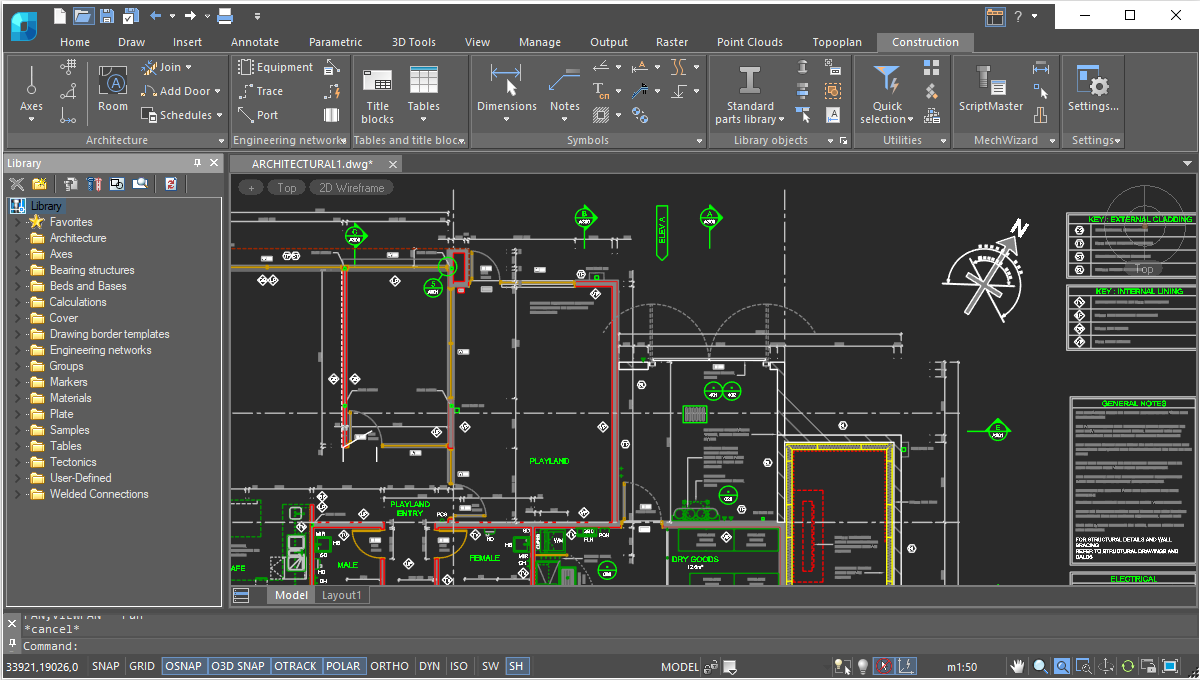
(Source:https://nanocad.com/products/nanocad-construction-module/features/)
Core Features
- Functionality: ⭐⭐⭐
- NanoCAD‘s advanced features like Raster Module offer professional raster image import, correction, color processing, and automatic/semiautomatic vectorization, efficiently meeting various raster file handling needs.
- An intuitive and easy-to-use interface makes it user-friendly, especially for beginners.
- Equipped with a large built-in library of ISO, DIN, and other industry standards, it enables quick verification of whether your drawings comply with relevant specifications.
- Lacks some advanced features compared with other paid CAD softwares.
- Compatibility: ⭐⭐⭐⭐
- File Compatibility: Supports several file types like DWG.
- Customization: ⭐⭐⭐
- Customizable Interface: Customize the interface that suits your working habits.
- Old license are not easily transferrrable from a device to another.
Performance
- Score: ⭐⭐⭐⭐
- The workflow is largely similar to other CAD tools, but rendering detailed plans can place a heavy load on the computer. Strong graphics hardware is often required to handle and process these drawings efficiently.
Price
- Score: ⭐⭐⭐
- Yearly subscription is affordable for small businesses and freelancers.
- High cost in constant subscription and computer resources.
Top 6. LibreCAD
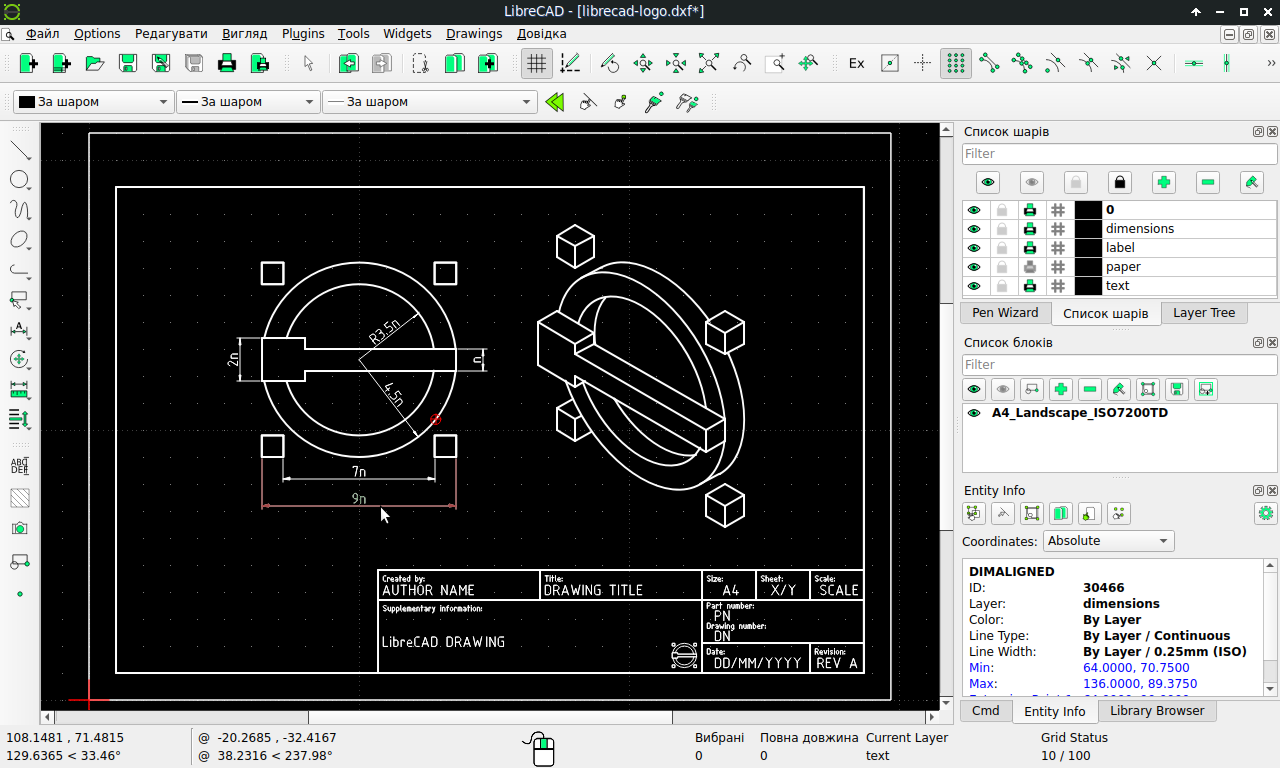
(Source:https://en.wikipedia.org/wiki/LibreCAD)
Core Features
- Functionality: ⭐⭐⭐⭐
- LibreCAD focuses on core 2D drafting features like lines, circles, and annotations.
- Intutive and simialr interface to AutoCAD makes users have a easy learning curve.
- Flexible internal plugin system but lack of advanced features needed for complex projects.
- Compatibility: ⭐⭐⭐
- Supporting multiple file formats, offering flexibility by saving in extensions such as DXF and exporting to PDF, SVG, and bitmap formats.
- Cross-Platform: Works on Windows, macOS, and Linux.
- Customization: ⭐⭐⭐
- Highly customizable interface, modern layout combined with extensive customization options allows users to tailor the workspace to their preferred workflow.
Performance
- Score: ⭐⭐⭐
- Crashes may happen while opening a larger DWG file.
Price
- Score: ⭐⭐⭐⭐⭐
- Completely Free: No subscription or licensing fees, completely open-source.
Top 7. QCAD
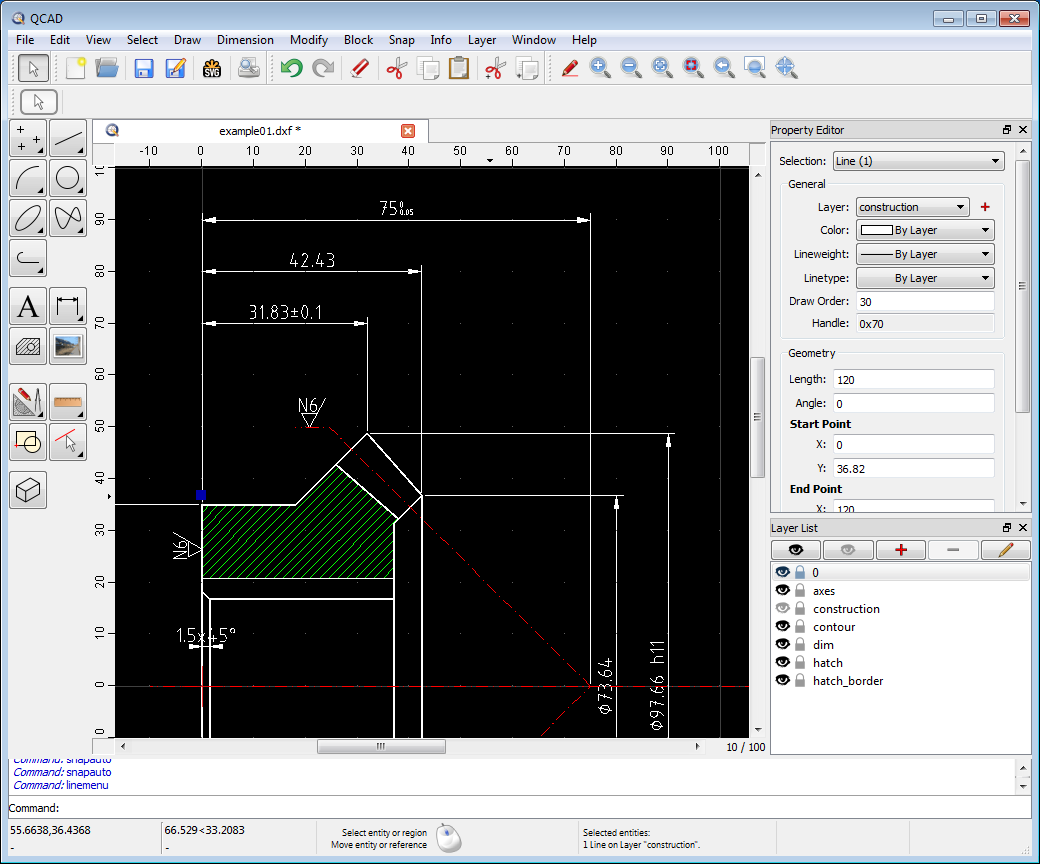
(Source:https://www.qcad.org/en/)
Core Features
- Functionality: ⭐⭐⭐⭐
- QCAD offers intuitive tools for designing a range of items—from machine parts and everyday objects to buildings and interiors.
- Features a simple yet versatile interface, paired with easy-to-operate design and printing functionalities.
- Basic training is required for smooth navigation of designs and schematics.
- Compatibility: ⭐⭐⭐
- Supporting multiple formats like JPEG, PNG and cross-platform use across Linux, Windows, and Mac OS, but the Windows version available as a paid offering.
- Customization: ⭐⭐⭐
- Supporting customizing toolbars, shortcut keys, and drawing templates, enabling flexible adaptation to different users’ design needs.
Performance
- Score: ⭐⭐
- The software may exhibit occasional instability under certain circumstances. Specifically, it tends to hang during drafting processes or freeze when handling heavy workloads.
Price
- Score: ⭐⭐⭐⭐
- Free Version: Free and open source.
- Perpetual License: $48-$1708
Comparison between Different 2D CAD Softwares
Here is the radar chart that will help you clearly know the edges and disadvantages of the 2D CAD softwares mentioned above.
FAQs
Which 2D CAD software is best for beginners?
ZWCAD: Top pick for skill growth – intuitive interface (matches industry workflow), comprehensive tutorials/support, full DWG compatibility, and professional core features (no compromise for beginners). Compared with other full-functional 2D CAD softwares, the price of ZWCAD is affordable and competitive.
LibreCAD: For beginners who want to learn the basic principles and applications of CAD software without any financial burdens, it is great for beginners, as it offers simple interfaces and endless free chances to entry—great for learning basic 2D drafting skills. However, its limited advanced features and customization may hinder progress once you move beyond foundational tasks.
In short: Opt for ZWCAD if you want a beginner-friendly platform that grows with your skills and aligns with professional industry practices; choose LibreCAD if you only need basic free tools.
Which 2D CAD software is best for professional architects?
ZWCAD: Cost-effective professional choice – 100% DWG compatibility, advanced customization, cloud collaboration, flexible licensing (one-time/subscription), meets architectural precision needs.
AutoCAD: Industry standard, wide adoption, rich plugins, full format compatibility (ideal for large firms).
Can I change 3D to 2D in 2D CAD Software?
Yes (for professional tools):
ZWCAD and AutoCADsupport direct 3D-to-2D conversion (import 3D files, generate orthographic views/annotations).
No (for basic tools):
LibreCAD, basic DraftSight/nanoCAD require workarounds (export 3D as 2D vector first).
Conclusion
If you are a beginner in CAD:
Start with free or affordable CAD software to build a basic understanding of the industry. Once you’re comfortable with the fundamentals, explore options like ZWCAD, DraftSight, or LibreCAD, which offer simple, user-friendly interfaces and essential 2D drafting tools, without the complexity or cost of professional-grade software.
If you need advanced features and professional-grade design tools:
AutoCAD remains the industry standard, offering unmatched functionality and compatibility with a wide range of file formats. But it requires a high cost and yearly or monthly subscription. Fortunately, its best alternative ZWCAD provides the same function but affordable price.

If you are a profession finding the best alternative for AutoCAD:
Choose ZWCAD without any doubts. It provides an excellent balance of affordability and functionality, offering strong 2D features and DWG compatibility comparable to AutoCAD at a fraction of the cost.
Ultimately, the best 2D CAD software depends on your experience level, budget, and specific needs. Whether you’re just starting out or a seasoned professional, there’s a solution out there that will help you work more efficiently and effectively.